KB Article #2801
Adding preferred dealers from the CollisionLink network to your Dealer List allows you to send them orders and receive affordable OEM parts that are competitively priced against the aftermarket.
Notes:
- For each make you service, you must set up at least one dealer as a default.
- Any CollisionLink Shop user can add a dealer.
View a short video on this topic!
To add a dealer:
- Click the Dealers tab.
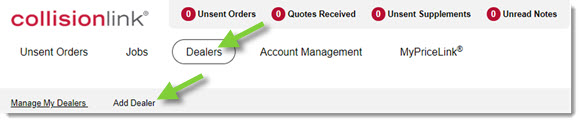
- Click Add Dealer.
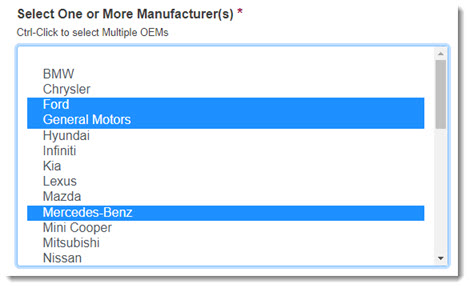
- Select the OEM you wish to add the dealer for. Press CTRL on your keyboard while clicking on OEM options to choose multiple OEMs. Note: The initial group of OEMs listed run their Parts Marketing Programs through CollisionLink.
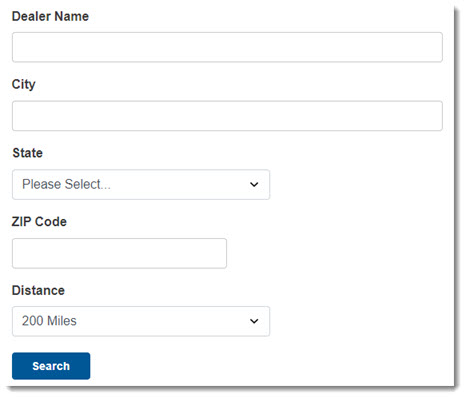
- Type any additional information about where to search in the provided fields. Note: Selecting a city, state, or zip code will display dealers only located in the selected region.
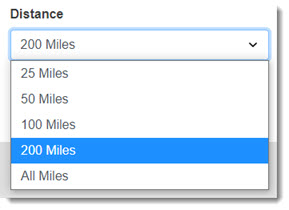
- Use the Distance drop-down to narrow the search distance.
- Click Search. The Dealer Search Results will display below.
Notes:
- If no results are found, repeat the search with OEM as the only search criteria.
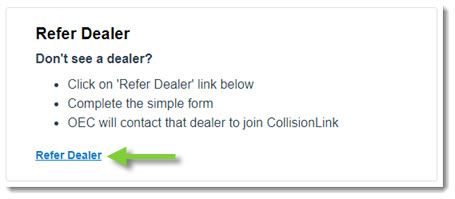
- Can't find a dealer you do business with? Click the Refer Dealer link to send that dealer's information directly to OEC!
- Check the Add box for any Supported OEM that you want to use the dealership for.

- Check the Preferred box to specify which dealer you prefer to buy parts from for each brand/make you service. When a dealer is selected as your preferred dealer, they will automatically display as the Dealer when estimates are imported.

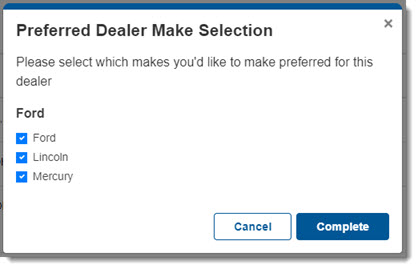
- Note: CollisionLink Shop limits you to setting one preferred dealer for each OEM. However, a dealer can be the preferred dealer for more than one manufacturer. If the OEM supports multiple makes, check the makes you'd like to make preferred for the dealer.
- Note: CollisionLink Shop limits you to setting one preferred dealer for each OEM. However, a dealer can be the preferred dealer for more than one manufacturer. If the OEM supports multiple makes, check the makes you'd like to make preferred for the dealer.
- Click Add Dealer to add the dealer(s) to your list.