KB Article #2773
Once an order/quote has been sent over to your dealer, you will be able to track its progress using the Status field on the Open Jobs tab.
- The current status can be found in the Status column for that vehicle.

- To view the dates and times for previous updates to the order or to see previous orders for the vehicle, click the
 in the View Orders column.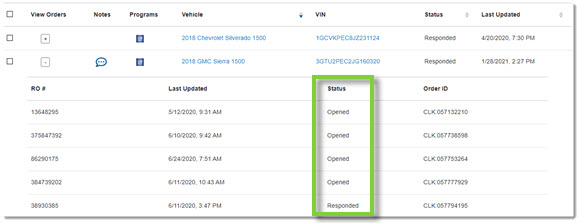
CollisionLink jobs can have one of the following statuses:
| Status | Description |
| Cancelled | The dealer has cancelled the transaction. (Changes cannot be made.) |
| Completed | The dealer finalized the transaction. (Changes cannot be made.) |
| Delivered | The job has been delivered to the dealer. |
| Open | The dealer has received and has opened the job. |
| Quote Received | The dealer has responded back to your shop with one or more parts in the job that includes a quote for an OEM part. |
| Responded | The dealer has responded back to your shop. |
| Submitted | The dealer finalized the transaction. (Changes cannot be made.) |