KB Article #2753
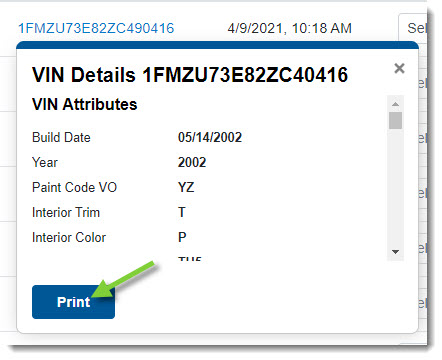
For easy reference, CollisionLink Shop allows you to view and print the VIN details so you can keep them with the vehicle through all steps of the repair process.
VIN details can be found in the following locations in CollisionLink Shop:
- Unsent Orders List
- Jobs List
- Unsent Order Details window
- Job Details window
Notes:
- Not all vehicles will have VIN information--VIN information only displays if provided by the OEM.
- If an estimate is sent across without a VIN, VIN Details will not show any information.
To view VIN Details:
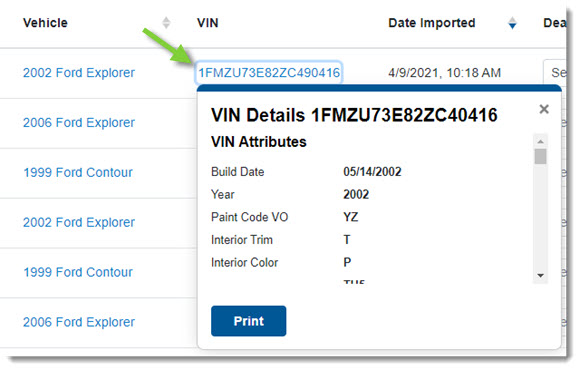
- From the Unsent Orders List or the Jobs List, click the VIN for the vehicle you wish to display the associated details and options.
-or-
From the Unsent Orders Detail window or the Jobs Detail window, click the VIN for the vehicle you wish to display the associated details and options.
- Click Print at the bottom of the VIN Attributes window to print the full VIN details.