KB Article #2994
CollisionLink Shop users have the ability to indicate in-stock parts on an estimate.
After importing an estimate and viewing the parts list, update any parts that you already have in stock by choosing Do Not Process from the Request drop-down menu before sending the order to the selected dealer. 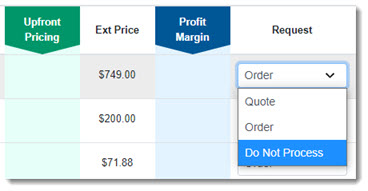
When the order is submitted, the dealer will be notified that you already have the part and will not include it as part of the order.