KB Article #2805
In order to ensure that you have all the parts you need, additional parts can be added to an unsent order in CollisionLink Shop before it is submitted to your dealer.
Note: Supplemental orders can be added to open jobs you have already submitted to your dealer. (Click here for more information.
To add a part(s) to an unsent order:
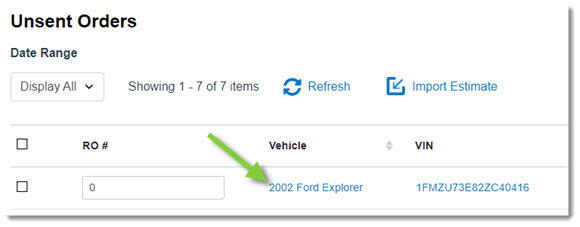
- From the Unsent Orders List, click the vehicle name.
- Click Add Part. A new part line will display below the other parts listed in the order.

- Add the following information in the provided fields:
- Part Number
- Type: Select from one of the following options:
- OEM (Original Equipment Manufacturer)
- AM (Aftermarket part)
- SALV (Salvaged part)
- REMAN (Remanufactured part)
- OE from AM Supplier
- Blemished
- Unknown
- Description
- Qty Req (Quantity requested)
- Est. Price (Estimated price)
- Request: Select from one of the following options:
- Quote: The dealer will provide a price quote per part. You can then review each quote and either accept or decline it. You will be invoiced once you accept a quote.
- Order: The dealer will process and invoice these parts upon receipt of the order.
- Do Not Process: This will notify the dealer you have the part in your stock and to not invoice the part. (Click here for more information.)
- Repeat Steps 2-3 to add additional parts.
- Click Save to save the unsent order or click Send if the order is ready to be sent to the dealer.